

Use this page as the starting point for programmatic access to Asteroid.Documentation Index
Fetch the complete documentation index at: https://docs.asteroid.ai/llms.txt
Use this file to discover all available pages before exploring further.
Sign up for Asteroid
Follow the instructions here to sign up for the Asteroid platform: Asteroid signup using your Google account.
Get your API key
Once you have signed up, you can retrieve your API key from the API keys page.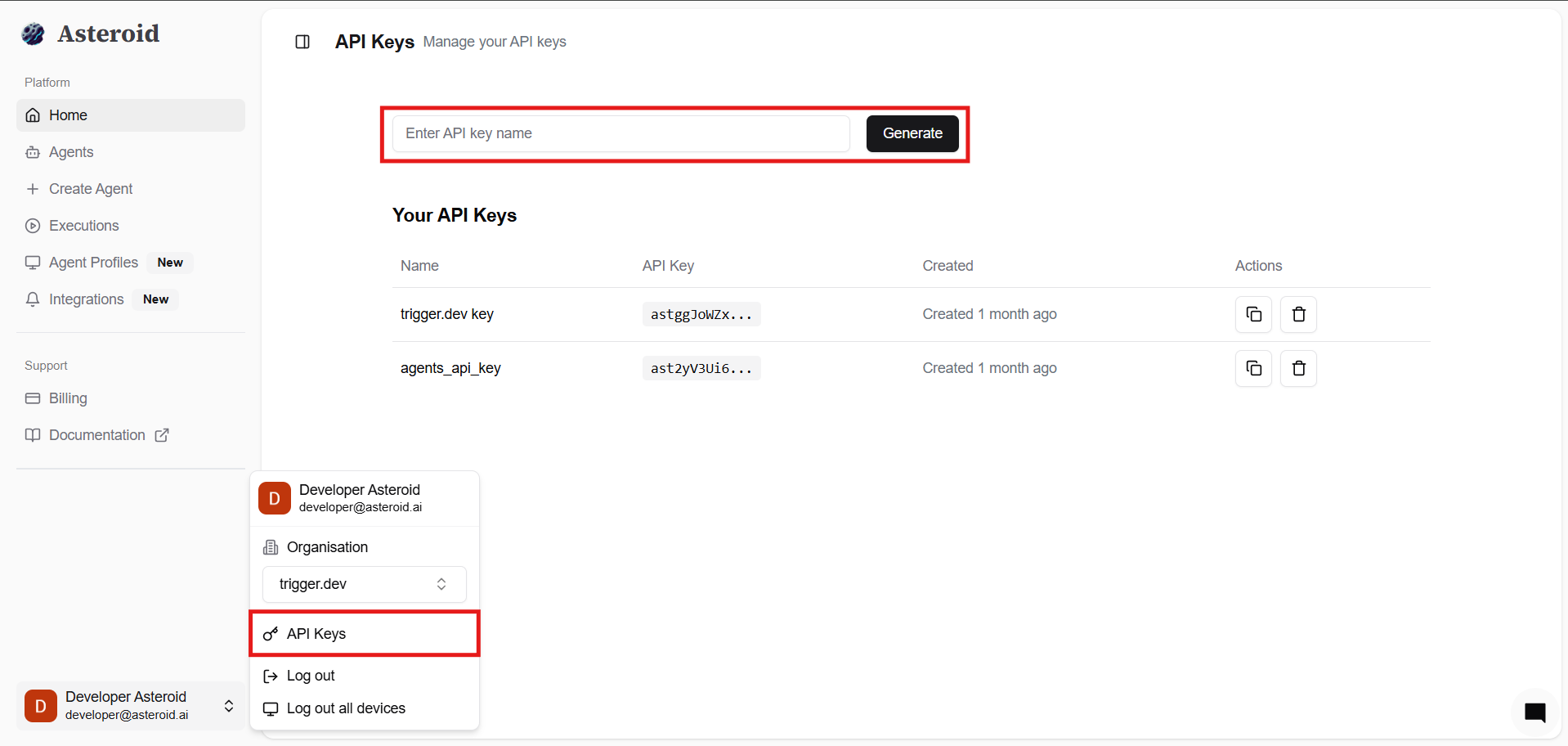
Set your environment variable
Our examples use
ASTEROID_API_KEY as a convenient environment variable. Set it once and read it from your own code:Choose how you want to integrate
Pick the starting point that matches your workflow:
- TypeScript SDK for the high-level helper client and generated namespaces
- Python SDK for the high-level client and generated subpackages
- API for the main API landing page and common workflows
Next Steps
Once you’ve set up your environment, you can:- Inspect the endpoint reference pages in this API section for request and response details
- Follow the TypeScript SDK or Python SDK guides for end-to-end examples
- Review Agent Profiles if you need persistent browser state, credentials, or proxies